
How PC Hardware Has Evolved Over the Last 20 Years

Written By
Admin
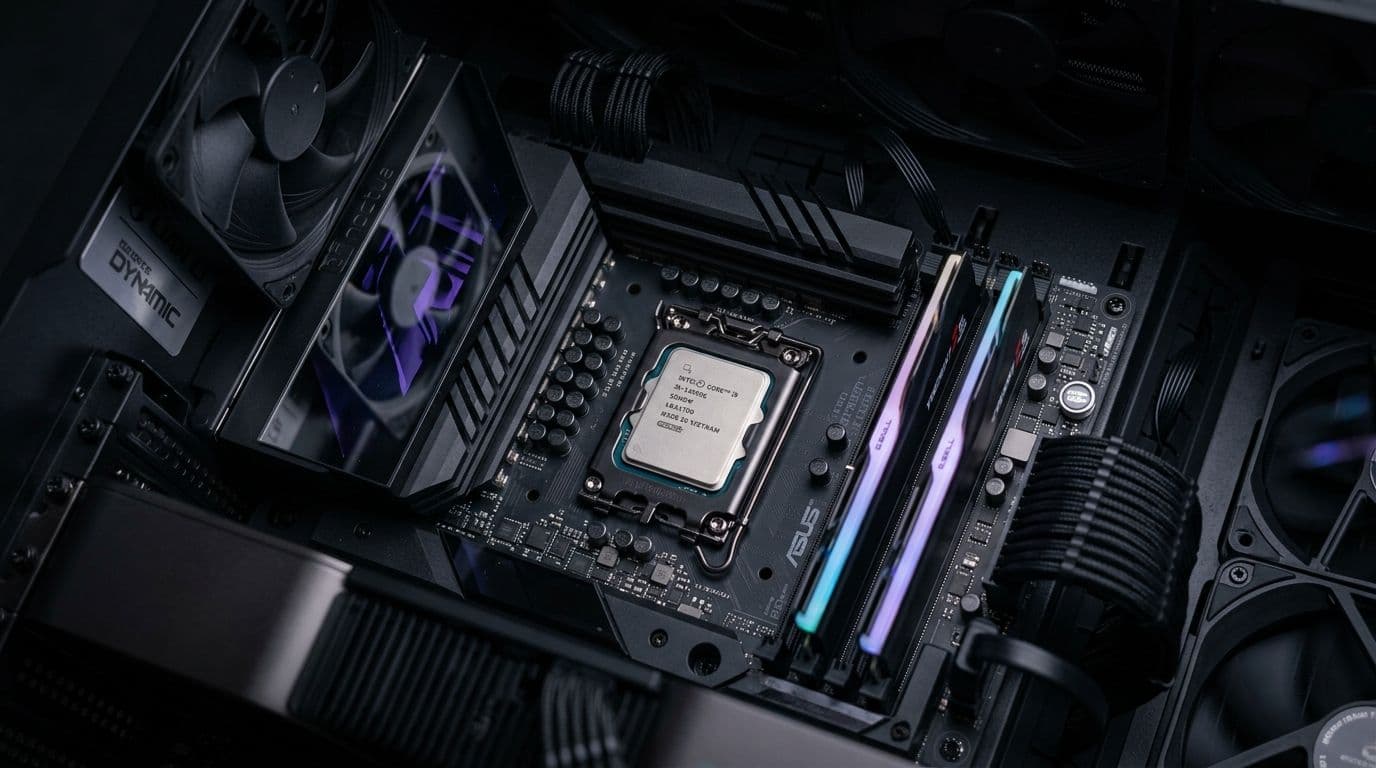
Twenty years is a long time in any technology field, but in personal computing it represents a transformation so thorough that the machines of 2006 and the machines of 2026 share almost nothing beyond the basic concept of a general-purpose computing device. The processors are fundamentally different in architecture. The storage technology is categorically different in speed and reliability. The display capabilities, connectivity options, memory architectures, and power consumption profiles have all changed in ways that would have seemed implausible to the engineers working on the hardware that existed at the start of that period. Tracing what changed, how it changed, and why illuminates not just where PC hardware has been but how it got to where it is today.
Processors: From Raw Clock Speed to Many-Core Efficiency
In 2006, the PC processor industry was in the middle of a significant identity crisis. The approach of simply running processor cores faster had hit a thermal wall. Intel's Pentium 4 had pushed clock speeds to levels where heat generation made further increases impractical without cooling solutions that were themselves becoming problematic. The response, which AMD had already begun implementing and Intel followed, was to stop chasing single-core clock speed and start adding more cores to the same chip.
The transition from single-core to multi-core processors over the following decade was the most significant architectural shift in consumer PC history. Dual-core processors became standard, then quad-core, then six-core and eight-core configurations that were once reserved for workstation and server hardware filtered down into mainstream consumer products. Each step required software to evolve alongside the hardware, since an application that could only use a single core at a time could not benefit from having additional cores available.
By the early 2020s, the architecture had evolved further with the introduction of hybrid designs that pair high-performance cores for demanding single-threaded tasks with efficient cores for background and lightly-threaded workloads. Intel's Alder Lake and subsequent architectures brought this approach to mainstream consumer processors. The result in 2026 is a processor landscape where even mid-range chips carry core counts that flagship workstation processors of 2006 could not match, while consuming power and generating heat that would have seemed impossibly low to engineers of that era.
Storage: The Death of the Spinning Disk and the Rise of Flash
The transformation of PC storage over the past two decades is perhaps the single most impactful change in everyday computing experience for ordinary users. In 2006, virtually every consumer PC shipped with a mechanical hard disk drive as its primary storage. These drives worked by spinning magnetic platters at several thousand rotations per minute while a mechanical read-write head moved across the platter surface to access data. They were slow by modern standards, mechanical in their operation, and vulnerable to failure from physical shock in ways that created genuine data loss risk.
Solid-state drives, using NAND flash memory to store data with no moving parts, began appearing in consumer laptops around 2007 and 2008 at prices that made them luxury upgrades rather than mainstream choices. The speed difference between an SSD and a mechanical drive was immediately and dramatically apparent to anyone who used one. Boot times dropped from over a minute to under thirty seconds. Applications launched in fractions of the time they had previously required. The entire subjective experience of using a computer changed in ways that were more noticeable than almost any processor upgrade.
Over the following decade, flash storage prices declined steadily while capacity increased, following a trajectory that eventually made SSDs the obvious primary storage choice for mainstream builds. The PCIe-connected NVMe interface replaced the older SATA connection as the standard for high-performance storage, delivering sequential read speeds that are thirty to forty times faster than the mechanical drives that were standard twenty years ago. The mechanical hard drive still exists in 2026 as a cost-effective option for high-capacity bulk storage, but it has been entirely displaced as a primary system drive by solid-state technology that delivers a categorically better experience.
Memory: More, Faster, and Architecturally Transformed
RAM capacity expectations have shifted dramatically over the twenty-year period. A PC shipping with 512MB or 1GB of RAM in 2006 was considered adequately equipped for mainstream use. Modern operating systems and applications have grown their memory requirements substantially, pushing the practical minimum for a capable PC from those figures to 16GB today, a thirty-fold increase in baseline expectation over two decades.
The DDR memory standard has progressed through multiple generations over this period, with each generation delivering improvements in both speed and power efficiency. DDR2 was transitioning into mainstream use in 2006. DDR3, DDR4, and now DDR5 have followed in succession, each carrying substantially higher memory bandwidth that enables processors to move data in and out of RAM more quickly. The relationship between memory speed and processor performance has become tighter in modern architectures, particularly for AMD Ryzen processors whose internal fabric speed is closely tied to memory controller frequency.
The most architecturally significant memory evolution has happened in the GPU space rather than system RAM. High Bandwidth Memory, used in modern GPU architectures, represents a fundamentally different approach to memory design that stacks memory dies vertically to achieve bandwidth figures that conventional DRAM architectures could not approach. The memory bandwidth available to a modern high-end GPU dwarfs what any system memory configuration of 2006 could have delivered.
Connectivity: USB, Wireless, and Display Technology
The connectivity story of PC hardware over the past twenty years is one of consistent improvement in both speed and convenience, with a few genuinely transformative transitions along the way. USB has evolved from the USB 2.0 standard that was dominant in 2006 through USB 3.0, USB 3.1, USB 3.2, and into the USB4 specification, with throughput increasing from 480 megabits per second to 40 gigabits per second across those generations. The physical connector has also changed, with USB-C replacing the older Type-A and Type-B connectors on newer hardware, enabling the reversible, compact connector that is now standard on mobile devices and increasingly common on desktop peripherals.
Wireless networking made the transition from 802.11g, which was the prevalent Wi-Fi standard in 2006, through 802.11n, 802.11ac, and into Wi-Fi 6 and Wi-Fi 6E, with real-world throughput increasing from tens of megabits per second to multi-gigabit theoretical maximums. The practical implication for users has been that wireless connectivity became a genuinely viable replacement for wired networking in most home and office environments, something that was not confidently true in 2006.
Building Today Versus Building Twenty Years Ago
When someone decides to Buy PC Hardware in 2026, they are engaging with a component ecosystem that has been refined and improved through two decades of intensely competitive development. The processors available at mid-range price points today deliver more performance than the fastest workstation hardware of 2006. The storage available at consumer prices loads operating systems and applications at speeds that were not achievable with any hardware configuration that existed twenty years ago. The memory, connectivity, display technology, and power efficiency of a modern build all represent genuine progress that compounds across every dimension simultaneously.
What has not changed is the fundamental logic of PC hardware assembly. Components must be compatible. Bottlenecks in one area limit the potential of strength in another. Total cost of ownership matters more than purchase price. Buying appropriately for the workload, rather than for the specification sheet, produces better outcomes than either over-building or under-building.
The specifics of the hardware have transformed beyond recognition over twenty years. The principles of buying and building it well have remained remarkably constant. That combination of dramatic technical evolution and enduring practical wisdom is what makes PC hardware one of the more interesting technology stories of the past two decades.